V1.01d
-000000?style=for-the-badge&labelColor=000000&logoColor=white)


WHAT IS IT?
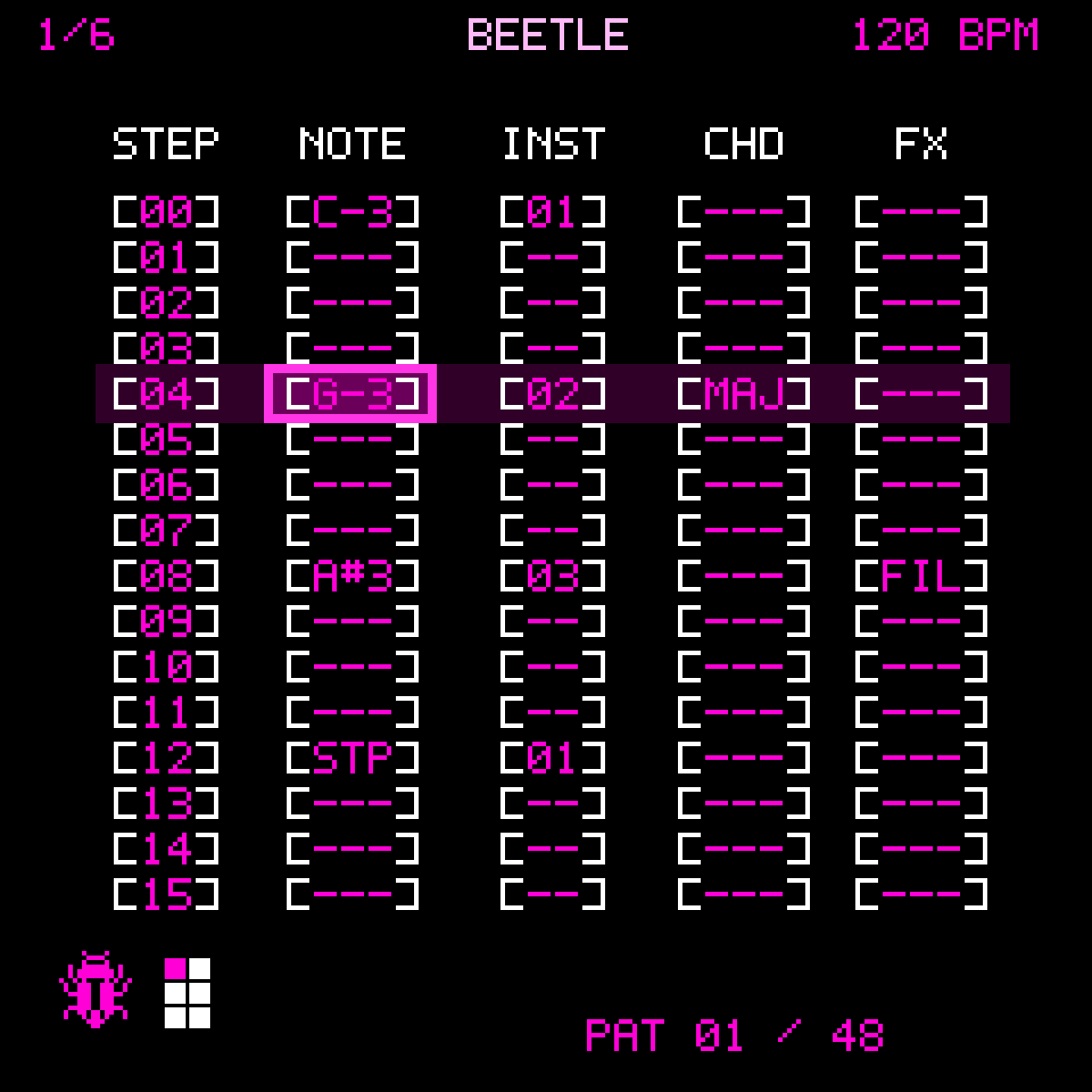
Open-source six-lane tracker and digital drum machine for the M-VAVE FM1.
SikkenWorks · Joppe Sikken · Born out of passion.
Current development version: 1.01d RC1 · Changelog
BEETLE public beta builds are tested on a physical FM1 by the project maintainer before GitHub publication. Particular new features still require verification as part of that release process.
BEETLE 1.01 RC1: performance controls
- Live Mixer is SONG-only. Open Song Mode via ARP; press SEL to enable SONG, then ARP again. Turning SONG off bypasses and clears every temporary Live Mixer MUTE/SOLO, with the normal saved mixer unchanged.
- Black keys (six leftmost): lane MUTE. Corresponding white keys: lane SOLO.
[X] M/[X] Sare live;[Q M]/[Q S]indicate queued operations. Both have LED feedback. - OCT− in Live Mixer: Q MUTE ON/OFF. OCT+ in Live Mixer: Q SOLO ON/OFF. The two quantizers are independent, default ON in Live Mixer, commit at next pattern boundary during PLAY, and apply immediately when OFF or stopped.
- Punch-In: hold an effect and turn K1. REPEAT, RING MOD, FILTER and TAPE STOP now change one point per detent (0–100). Stutter retains its seven musical rates. Ring Mod defaults to 20, Stutter to ×1.
- CH6 NOTE2: with NOTE2 focused, ENV writes
[STP]to NOTE2 only; NOTE1 remains exactly as it was. White-key entry continues to target NOTE2. - Master effects retain SELECT navigation, K1–K4 controls and SEL ON/OFF; per-waveform ADSR and project format V17 are retained.
The complete version-by-version history is in CHANGELOG.md. The experimental hardware/storage build still requires maintainer testing before publishing this candidate as a final 1.0 release.
Performance, instruments and controls
- Live Mixer is available only after enabling SONG in Song Mode with SEL. While SONG is off, pressing ARP again stays in Song Mode. If SONG becomes disabled, Live Mixer closes and its mute keys are ignored.
-
CH6 NOTE2 keyboard input: select lane 6 and focus NOTE2 with K2. White keys insert a second drum hit (
1..14) into the selected step without changing NOTE1 or advancing the step cursor. NOTE1 entry on the other columns retains its previous behavior. - Punch-In FX: hold an effect key and turn K1 to adjust its parameter. ALGORITHM selects patterns when no Punch-In key is held. Ring Mod starts at 20 intensity, Stutter starts at ×1, and the current tempo drives Stutter divisions.
- Normal MIXER and Live Mixer: the six mapped black keys mute lanes CH1–CH6; the six adjacent white keys SOLO those lanes. Active SOLO and MUTE illuminate the corresponding FM1 key LEDs. Live Mixer mute/solo each follow their own OCT-selectable quantization preference.
- MASTER FX: turn SELECT to choose EQ/Compressor/Reverb, adjust all four knobs with K1–K4, press SEL to enable/disable the selected effect.
- EDIT: waveform TYPE preferences have independent ADSR, cutoff, oscillator and other synth parameter settings in each patch slot. New saves use project format V17, while supported older V16 projects migrate without losing their current active patches.
- HELP: its final page now shows a complete end-of-list counter rather than an unreachable row range.
Mixer and channel volume
- New projects: synth CH1–CH5 at 50%, drums CH6 at 80%; normal mixer 0–120% with potential clipping above 100%; normal Q MUTES defaults OFF.
- SONG-only Live Mixer operates on a temporary layer, while the regular Mixer remains persistent in projects. Independent Q MUTE and Q SOLO default ON for the performance page.
Tracker keyboard and octave controls
- In TRACKER, a musical-key press always enters a note in NOTE, no matter whether the highlighted column is NOTE, INS, CHD or FX. Existing column values are preserved. CH6 enters the main drum NOTE.
- Hold SEQ and press OCT− or OCT+ on an existing synth NOTE to shift that saved step by one octave with note preview. This works from any tracker column; empty and stop steps are ignored. Undo/Redo supports the change.
- OCT− / OCT+ without SEQ changes the live keyboard octave (−4 to +3), never previously saved notes. On hardware, the matching OCT LED remains lit while the keyboard octave is below or above zero.
Release history
All release notes and version-by-version changes are kept exclusively in CHANGELOG.md.
Current workflow
-
Live performance: GLO opens MIXER, then SEL toggles QUANT MUTES ON/OFF. Select a lane with K1 and MUTE with K2; K3 changes the state, or use a mapped black key. With ON, changes during PLAY queue to the next pattern boundary; with OFF they apply immediately. Turning OFF applies already queued changes immediately. This setting is saved with the project (V13).
- Sequencer 2.0: K1 cannot move past the current pattern length. Stop transport, hold SEQ and turn K4 to adjust current pattern length (1–16), or queue a pattern while playing with ALGORITHM. A queued change starts on the next pattern boundary, not immediately. Song Mode continues to control song sequencing. In the WebSimulator use PAT LEN −/+, hold SEQ while turning K4, or Shift+click a K4 button.
-
Project LOAD safety: SEL pressed during project reading will not clear a step upon return to the tracker. Wait until the load finishes and release the key before editing.
-
Step Dynamics (V0.59):
SEQ + FXfrom the tracker opens velocity/gate editing. K1 selects step, K2 selects velocity or gate, K3 edits, SEL resets; SEQ/HOME returns to tracker. Default gate remains legato for older projects. - WebSimulator: six-channel MIXER and 21 240×240 interface screens, with ARP for SONG/LIVE MIXER, GLO for MIXER, SEQ for TRACKER.
- PROJECTS → HELP: scrollable on-device controls; K1 scrolls by one entry; K4 does nothing in HELP, HOME returns to PROJECTS and SEQ to the tracker. Includes the V0.57 editing shortcuts.
- MASTER FX: K1 selects EQ, Compressor or Reverb; SEL toggles the selected effect. SELECT controls parameter 1 and K2–K4 control the remaining parameters. Hold SEQ and turn K4 to change effect order.
- Editing: V0.57 adds full-pattern copy/paste, six-level RAM-only Undo/Redo and a one-lane block editor; see below and CHANGELOG.md.
Performance Snapshots
From MIXER (GLO), hold SEQ + SEL to open PERFORMANCE. Four independent snapshots store the six channels’ mute configuration. K1 selects a slot; turning K2 saves the current mute state; K3 or SEL recalls; HOME/GLO returns to MIXER and SEQ to TRACKER. With Quantized Mutes ON during playback, recalls wait for the next pattern boundary; when OFF, they apply immediately. Snapshots persist in the V14 project format, and older V13 projects load with empty slots.
V0.71 added SHA-256-verified WebSimulator project backups and a read-only native A/B bank audit utility; these do not provide or guarantee physical FM1 recovery. See CHANGELOG.md.
What you can make
- Write independent 1–16-step patterns for CH1–CH5 (synth) and CH6 (digital drums); chain them in Song Mode.
- Play up to eight shared synth voices. The drum synthesizer has its own voice pool; this is not a promise that every voice combination can run without glitches on physical hardware.
- Use the 14-component, sample-ROM digital drum kit: kick, snare, closed/open hats, three toms, crash, ride, clap, three percussion sounds and rim. Voices have individual editable pitch (−36 to +36 semitones), attack, decay, sustain, tail/release, three-band tonal controls and level.
- Use shared synth presets, VA oscillators, ADSR, detune, oscillator blending, drive, sub oscillator, noise and FM depth. EDIT offers twelve instrument TYPE options, including five SID-inspired flavors and three NES-inspired types (
SID 6581,SID 8580,SID DIRTY,SID BASS,SID NOISE). Since V0.53 the 6581 and 8580 variants have separate filter and saturation character. These are not the original reSID engine. - Adjust volume (0–120%), pan, mute, solo and swing (0–100) for each lane. CH1–CH5 default to volume 50 and CH6 defaults to mixer volume 80, with increased internal drum source gain.
- Add tracker step effects, including volume and drum-pitch automation, plus velocity/gate per step (V0.59); use [STP] to stop sustained notes.
- Apply eight live Punch-In commands: REPEAT, RING MOD, FILTER, TAPE STOP, STUTTER, OCTAVE UP, OCTAVE DOWN and MUTE. For effects 1–5, hold the relevant key and turn ALGORITHM to edit that effect’s parameter.
- Open a separate MASTER screen with a four-band graphical EQ, compressor, reverb and reorderable processing blocks. V0.52 adds compressor Attack and reverb Width, with four pixel-art knobs controlled independently by K1–K4. Hold SEQ and turn K4 to reorder the processing chain. These are FM1-constrained implementations, not bit-identical copies of desktop effects.
Professional editing
In the tracker while transport is stopped, hold SEQ and press the physical black OP keys: OP1 copies a lane, OP2 pastes a lane, OP3 copies the entire six-lane pattern plus recorded Punch-In FX, OP4 pastes it, OP5 Undo, OP6 Redo. SEQ + SEL opens Block Editing (K4 start, K1 end, K2 action, K3 amount, SEL apply; HOME/SEQ exit). Native Undo/Redo stores six edit actions in RAM, not on flash. A new edit after Undo discards the redo branch. The WebSimulator provides explicit buttons for the same actions. The Block Editor uses the same black/white/magenta 1-bit BEETLE styling as the tracker.
Live Mute Groups
- GLO opens Mixer. SEQ+SEL opens Performance Snapshots; FX from Performance opens MUTE GROUPS.
- Four independently editable groups, each with a membership mask over the six lanes. On MUTE GROUPS: K1 selects group, K2 selects lane, SEL adds/removes lane, K3 mutes/unmutes every member, HOME returns to snapshots, SEQ to tracker.
- If all members are currently/queued muted, K3 unmutes the group; otherwise it mutes the entire group. Unassigned lanes are unaffected.
- Quantized Mutes ON defers the group toggle until the next pattern boundary during PLAY; OFF applies it immediately. STOP cancels pending state; existing Performance Snapshots continue to recall full mute combinations.
- Firmware project schema V15 stores the four group masks. V14 and older supported projects initialize them empty. Browser exports/imports include these masks.
Controls and workflow
| Where | Control | Function |
|---|---|---|
| Tracker | SELECT rotary | Select CH1–CH6. Scrolling left from CH1 opens the recorded Punch-In-event lane; scrolling right past CH6 stops. |
| Tracker | ALGORITHM rotary | Choose from the 48 patterns when no Punch-In key is held. |
| Tracker | K1 / K2 / K3 | Select step, select cell/column, change selected value respectively. |
| Tracker | SEL button | Clear the currently selected step. |
| Tracker | PRESET rotary | Cycle the selected note cell through its note, [—] (empty), and [STP]. |
| Tracker | ENV | Insert [STP] directly. |
| Tracker | OCT− / OCT+ | With the cursor on an instrument cell, decrease/increase the instrument number (0–3). Otherwise use the normal synth octave controls. |
| Tracker | SEQ + OP1 | Copy the current pattern’s entire selected lane. |
| Tracker | SEQ + OP2 | Paste that lane, including notes, instruments and step FX, into the current lane/pattern. The clipboard survives changing lanes/patterns. |
| Mixer | GLO | Open/close the mixer. Six black OP keys can mute CH1–CH6; their LEDs indicate mute. |
| Instrument Edit | EDIT | Open instrument parameters; on the next EDIT page access the drum component editor. |
| Song | ARP | Open Song Mode (not GLO double-click). |
| Master | LFO | Open the master EQ/compressor/reverb chain. |
| Punch-In | REC / Punch-In screen | Hold a Punch-In key for an effect; ALGORITHM adjusts that effect’s stored setting. |
| Projects | SAVE / LOAD menus | Work with 12 slots. A project stores patterns, instruments, mixer, drums, MASTER settings, song data and five Punch-In ALGORITHM parameters. |
Keyboard octave: TRACKER and EDIT share the same octave range (−4 to +3). OCT−/OCT+ shift the live keyboard octave without transposing existing pattern notes. In EDIT, pressing both octave buttons together toggles MONO/POLY without shifting octave.
TYPE selection in EDIT: the encoders step through all nine instrument types with wraparound.
Some controls are context-sensitive. Screen labels and FM1 button names take precedence over this overview.
Punch-In FX
- REPEAT: freezes and loops a recent audio snapshot. ALGORITHM changes its length.
- RING MOD: multiplies the live stereo mix by a 440 Hz bipolar carrier, with ALGORITHM controlling wet intensity (default 20). Applies even if only CH6 drums are playing.
- FILTER: opens at setting 0 by default; the ALGORITHM setting is retained.
- TAPE STOP: progressively slows sample read speed and lowers pitch.
- STUTTER: gates the current audio alternately on and off, with ALGORITHM-controlled speed.
Each effect retains its own ALGORITHM value when released. SAVE/LOAD stores all five adjustable Punch-In settings; supported older projects open with default values where fields are missing.
Standard digital drum kit
BEETLE boots with a preconfigured digital kit, not fourteen identical generic parameter sets. Kick emphasizes low body; snare uses a brighter wire texture; closed hats have shorter tails than open hats; toms have separate tuning; crash and ride have different envelopes; clap and rim are individually shaped. You can change each component in Drum Edit and save those changes with a project. The sounds are generated in software and must still be judged through the real FM1 output.
Projects, compatibility and storage safety
- 12 project slots, with journalled A/B storage where the experimental storage backend is enabled.
- Current project schema: V16. Newly saved projects include per-step velocity and gate as well as the earlier MASTER parameters (compressor Attack and reverb Width). Supported older projects, including V10, V9 and earlier formats, remain readable; missing settings are initialized to defaults and old project data are not silently rewritten. V8 previously added the five Punch-In values; V6/V7/V8 compatibility was included in earlier regression tests.
- The physical project record has a finite capacity. A fully populated project may not fit. An oversized project is rejected before any flash erase; do not assume all 48 six-lane patterns can be filled to capacity simultaneously.
- WARNING: the storage-enabled build requires explicit first-use setup. The experimental storage region can overwrite legacy user data at addresses
0x97000–0xDFFFF. Never initialize it without a verified full-flash backup and an independently working recovery path. Project writes are disabled in the pilot build. - The WebInstaller does not make a complete backup. Even a verified OTA transfer does not guarantee that the new firmware will boot or that USB recovery will remain available.
Build and test
The target is the M-VAVE FM1 JieLi pi32v2 environment. The JieLi cross-toolchain is a separate prerequisite; the toolchain is not bundled.
export JIELI_TOOLCHAIN=/path/to/jieli-linux-toolchain
cd source
python firmware/fm1-native/build.py --hardware-test
python firmware/fm1-native/build.py --pilot
# Destructive storage-capable variant, experimental only:
python firmware/fm1-native/build.py --beetle-storage-lab --updater
bash tests/track/run_v085.sh
Use a known-good version of Python, a C compiler with ASan/UBSan support for host tests, and the JieLi toolchain for the target. Source releases include an audited baseline of the hardware layer and package-integrity test scripts. None of these tests substitute for physical device validation.
The documented release contains a standalone WebInstaller and .fwsc package; use a desktop browser with Web MIDI, a direct data cable, and the correct FM1 device identity. Never bypass the installer identity or hash checks.
Open-source origins, credits and licences
BEETLE is not a clean-room firmware. Parts of its low-level architecture and update pathway came from earlier open-source projects. These contributions are important and must remain credited:
- Felucca, by Leo Kuroshita (@kurogedelic), Hügelton Instruments — original M-VAVE FM1 hardware abstraction, startup and linker foundations, LCD, input scanning, audio and boot/OTA infrastructure used or carried forward in the ETCH/BEETLE native tree. Felucca is distributed under GPL-3.0-only. BEETLE includes a recorded SHA-256 audit for 19 preserved critical Felucca/HAL/bootstrap files in
source/reference/felucca-hal-sha256.json; this proves equivalence only for the enumerated files, not that the entire application is unchanged upstream code. - ETCH, by SikkenWorks — the prior SikkenWorks FM1 firmware and working ETCH V1.37 firmware container/bootloader reference on which BEETLE’s device startup and
.fwscpackaging workflow were based. Somenative_*, flash/OTA, UI and shared hardware support modules retain ETCH lineage; the tracker, new digital drum instruments and project workflow are BEETLE-specific additions. The protected bootloader is intentionally kept unchanged for compatibility; the loader may still display older branding. ETCH. - JieLi Technology — manufacturer of the AC79-series chip, target architecture, and tooling used to compile and package firmware. The released container inherits necessary device/SDK-format material from the verified reference package. Refer to original JieLi licensing terms and the upstream Felucca licence notices; third-party toolchain binaries are not part of this repository.
- reSID, originally developed by Dag Lem — acknowledged for its historical and technical contribution to SID chip emulation and as an inspiration for BEETLE’s SID-style instruments. Not included as a compiled or linked dependency. reSID repository. See
source/CREDITS-AND-LICENSES.mdfor further detail. - Nes_Snd_Emu, originally developed by Shay Green (blargg), with the linked fork maintained by James Athey — NES APU emulator and technical reference for BEETLE’s three NES-style instruments: NES PULSE, NES TRIANGLE and NES NOISE. Nes_Snd_Emu is distributed under LGPL-2.1. The original Nes_Snd_Emu C++ library is not copied, compiled or linked into BEETLE; the BEETLE engine is an independent lightweight C implementation. See
source/CREDITS-AND-LICENSES.mdandsource/LICENSES/NES-SND-EMU-LGPL-2.1.txtfor reference and licence details.
Felucca’s own attribution document, preserved at source/LICENSES/FELUCCA-LICENSING.txt, identifies additional third-party projects in the broader upstream repository: DaisySP (Electrosmith / Emilie Gillet, MIT), Rings (Emilie Gillet, MIT), msfa/Dexed (Google / Pascal Gauthier, Apache-2.0), CrispyZebra, Fukiai, Inter Tight, DotGothic16, Versilian Studios VSCO-2, klattsch, and X0X. Those are upstream acknowledgments: this BEETLE target build does not claim to embed all of those engines, fonts, or audio assets. See Felucca’s corresponding source and notices for the actual upstream file-level relationships.
The enlarged two-frame pink loading artwork is derived from an image provided by the BEETLE project user. The firmware draws it in nearest-neighbour pixel scaling without an external icon-font dependency.
reSID credits and acknowledgment
reSID — original author: Dag Lem. reSID is a reverse-engineered emulation of the MOS6581 SID (Sound Interface Device), developed for Commodore 64 audio. See the original project: libsidplayfp/reSID (a mirror of VICE’s reSID), including its AUTHORS and licensing notices.
BEETLE acknowledges Dag Lem and the reSID project as an influence on its SID-inspired instrument design. BEETLE includes five SID-style instruments (SID 6581, SID 8580, SID DIRTY, SID BASS, and SID NOISE), implemented in BEETLE’s separate lightweight synth engine. BEETLE does not bundle, compile, link, or run the original reSID C++ source code. It is not cycle-accurate reSID emulation.
NES APU credits and acknowledgment
Nes_Snd_Emu — original author Shay Green (blargg); linked fork maintained by James Athey. Project and source. Its upstream licence is GNU LGPL 2.1 and a reference copy is included in source/LICENSES/NES-SND-EMU-LGPL-2.1.txt.
BEETLE’s NES PULSE, NES TRIANGLE and NES NOISE types use an independent, lightweight fixed-point C implementation in source/firmware/fm1-native/beetle_nes_apu.h, informed by NES APU behavior and the Nes_Snd_Emu technical reference. No original Nes_Snd_Emu source is embedded, copied, compiled or linked. This is a NES-inspired synthesizer, not the full original Nes_Snd_Emu emulator and not a cycle-accurate NES APU. BEETLE’s source remains GPL-3.0-only.
The full attribution and distinction between incorporated code and inspirations are documented in source/CREDITS-AND-LICENSES.md.
Source licence and distribution obligations
The included native firmware and derivatives are distributed under GNU GPL v3 only (GPL-3.0-only), preserving the licence of Felucca-derived source. The full GPL text is at source/LICENSE. If you distribute a modified BEETLE firmware, provide its complete corresponding source and all applicable copyright notices, including relevant Felucca notices. The presence of a working binary, WebInstaller or bootloader does not by itself satisfy source-offer requirements.
See source/LICENSES/FELUCCA-LICENSING.txt and copyright/SPDX headers in individual source files. For code with unclear lineage, retain the upstream notices rather than claiming exclusive SikkenWorks authorship.
Known limitations
- Punch-In RING MOD replaces the older reverse command; saved projects may contain events with that former slot number.
- PCM interpolation, the small target CPU, memory footprint and analogue FM1 output affect perceived quality.
- The upstream/protected OTA loader has not been changed to force the pink BEETLE Matrix screen; it may still show ETCH branding during installation.
- A full-screen redraw still requires two 120-row SPI transfers. Previous splash optimizations reduced unnecessary transfers and idle repaints, but smooth navigation and animation still require hardware measurement.
- Flash ownership/recovery and sustained 8-voice + drum + MASTER FX load remain experimental.
Support
If you find a bug, include the firmware version, what you pressed, your exact project state, and (when safe) a diagnostic log. Do not share a flash image containing private material publicly. Contributions that preserve realtime audio safety, backward compatibility and upstream copyright attribution are welcome.
BEETLE — SikkenWorks. Born out of passion.
Fixes 1.01 RC1
- PROJECTS WebSimulator: de roze menubalk blijft binnen de geselecteerde regel. Overige menu’s zijn op dezelfde overlapfout gecontroleerd.
- CH6
ENVwerkt op de geselecteerde NOTE1 of NOTE2 zonder het andere drumveld te wissen; de audiorelease van NOTE1/NOTE2 is nu ook gescheiden. - De CREDITS behouden de originele auteurs, zonder de agressief geformuleerde code-ontkenning. Zie code- en licentieaudit.
- De volledige versiegeschiedenis staat in CHANGELOG.md.
Project Manager V1.1 · Password-free BEETLE files
The included project manager now exports and imports AES-GCM encrypted .beetle project files without requiring passwords. A shared key is bundled with the open-source web tools; protection is against casual text inspection and accidental corruption, not against determined decryption. BEETLE 1.01 RC1 WebSimulator can import native TRK1 V12–V17 files as well as its old JSON backup files and export native V17 .beetle files. Device transfer requires the experimental Project Transfer firmware, and remains physically unverified. See BEETLE-PROJECT-FORMAT-V2.md.